Sell inside Telegram. Talk to visitors on your site.
TalkCart bundles two products in one WordPress plugin: a native Telegram Mini App storefront for your WooCommerce shop, and a floating site-chat widget that routes every conversation into a Telegram supergroup — with optional GPT auto-replies.
One plugin, two completely different surfaces
Install once, activate both. They share the same Telegram bot connection but otherwise operate independently — turn on what you need.
WooCommerce → native Telegram store
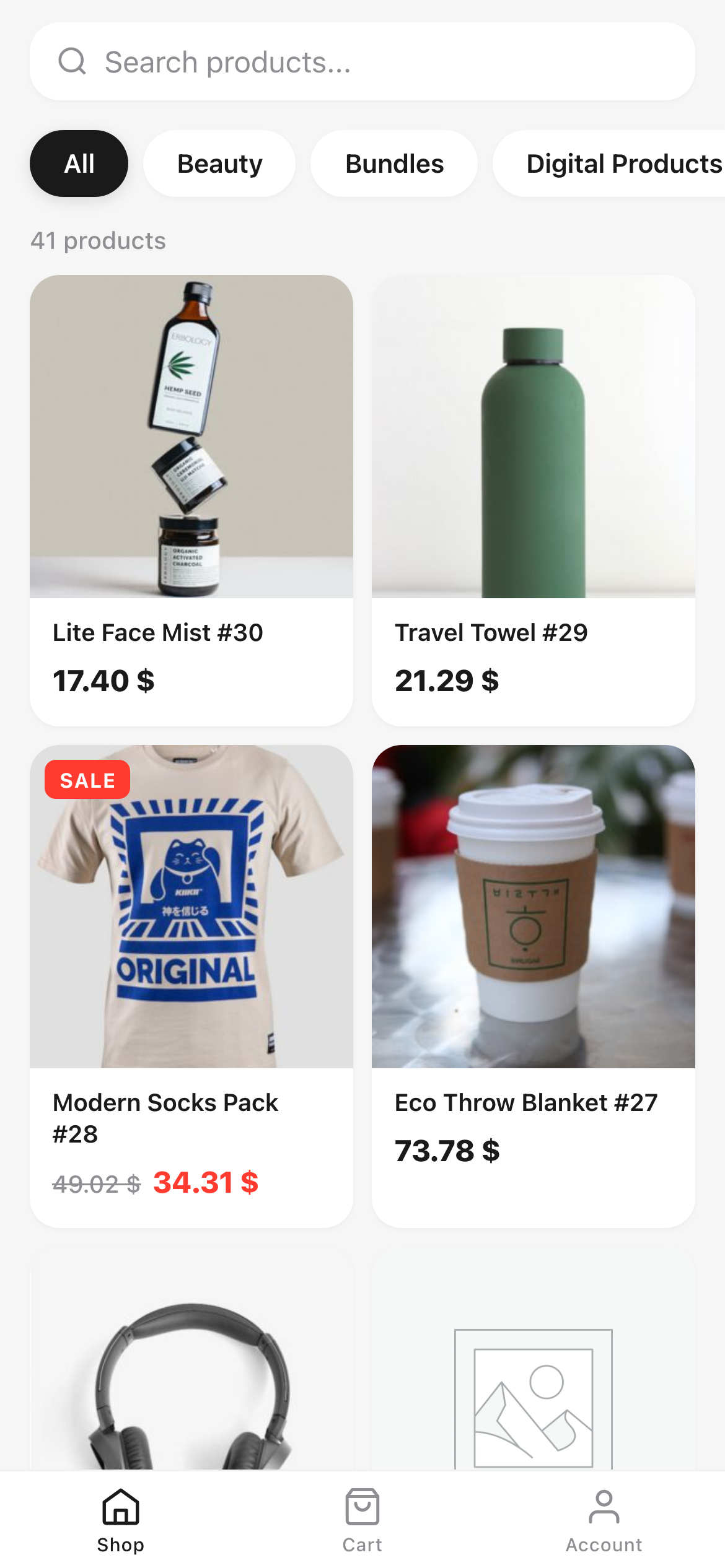
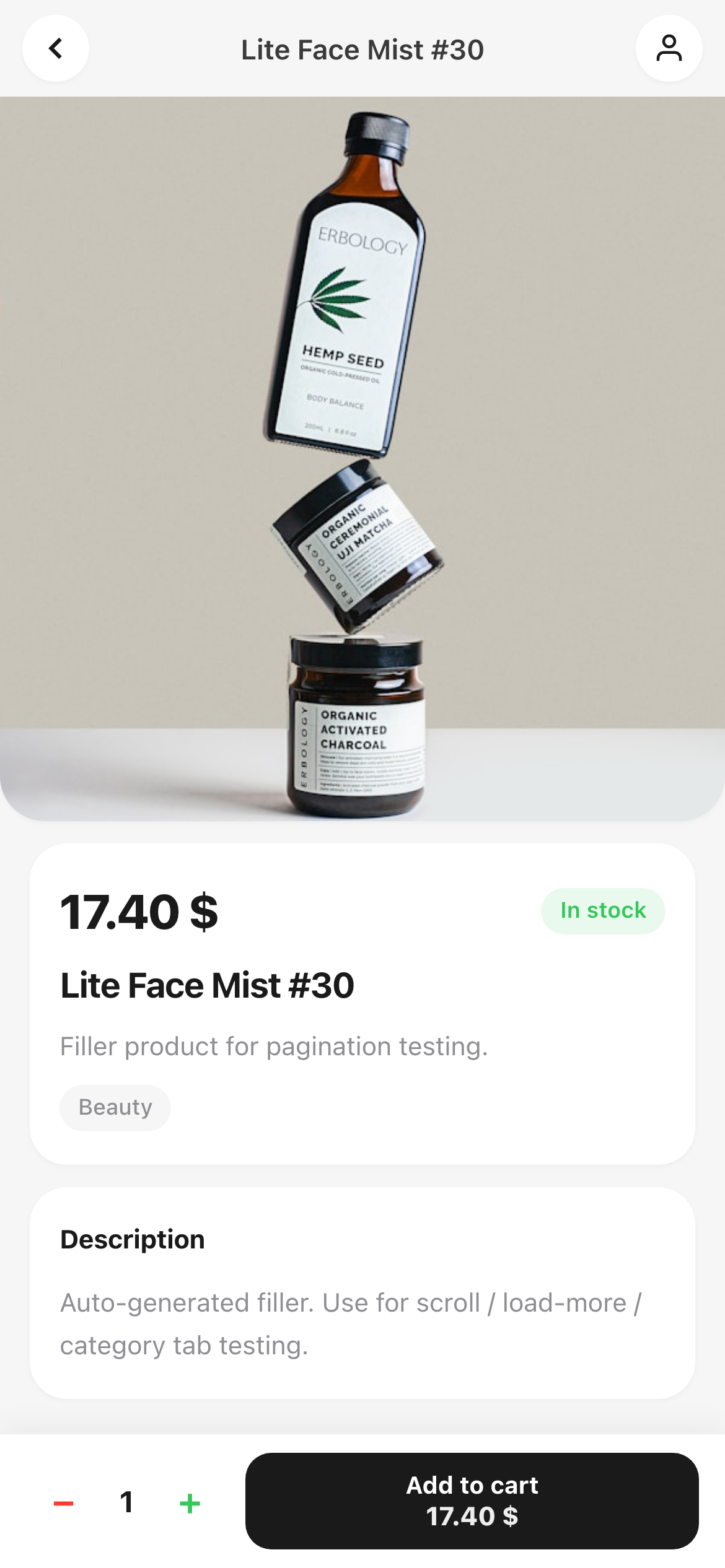
Customers tap your bot in Telegram, the Mini App opens full-screen and they shop without ever leaving the messenger. Built on the official WebApp SDK.
- Live WC catalog with categories & variations
- Pinch-zoom galleries, swipeable product pages
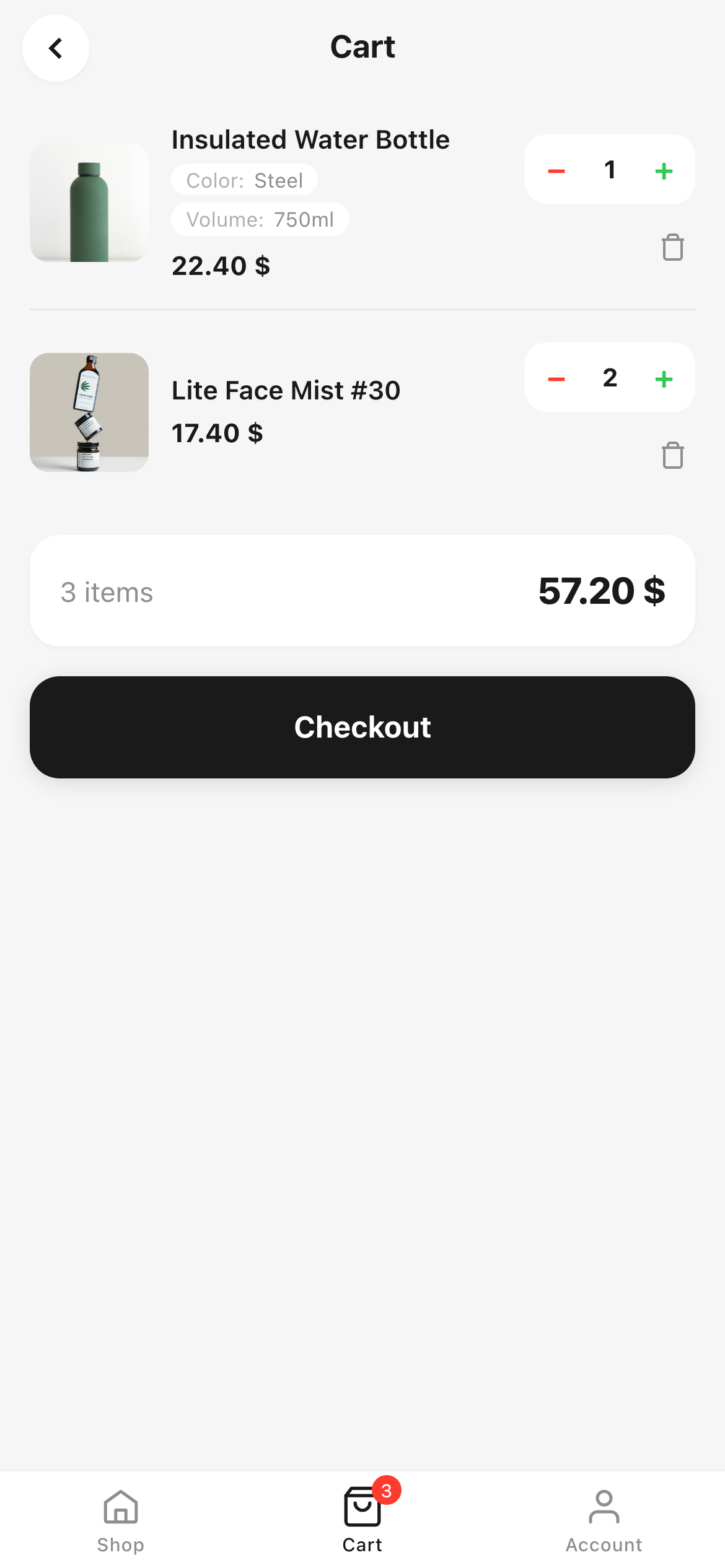
- Persistent cart, real WC checkout, real WC orders
- Auto-login via signed Telegram
initData
Live chat that lands in Telegram
A floating bubble on every public page. Each visitor gets their own topic in your Telegram supergroup — you reply from Telegram, the answer pops back in the visitor's bubble within seconds.
- One Telegram topic per visitor — no chaos
- Pre-chat form (name, email, anything) — repeatable
- Files, images, paste-from-clipboard supported
- Optional GPT auto-reply with KB + handoff button

A bot is a chat. A Mini App is a store.
Telegram Mini Apps unlock the full WebView — real product pages, swipe galleries, instant checkout — without anyone leaving the messenger.
Live WC catalog
Products, variations, attributes, stock — read directly from your WC database, nothing to sync.
Swipe galleries
Full WC image gallery with touch-native swipes and pinch-to-zoom on every shot.
Smart variations
Size, colour, material — every attribute becomes a friendly chooser with live stock checks.
Real WC checkout
Live shipping, taxes, gateways. Orders are real WC orders — your existing payment plugins just work.
Signed identity
HMAC-SHA256 verified Telegram initData. Auto-login, no passwords, no friction.
Native theming
Light or dark — follows the user's Telegram colour scheme automatically.
Every visitor → a private Telegram topic
No SaaS, no separate inbox. Visitors chat through a bubble on your site, you reply from your phone in Telegram. Threads stay organised forever.
A bubble that just works
Drop the widget on every public page with one checkbox. Visitors see a clean, themeable chat — your brand colour, your title, your placeholder.
- ✓Pre-chat form — collect name, email, phone or any custom field before the conversation starts.
- ✓Files + paste — Ctrl+V a screenshot, drop a PDF, send a photo. All round-trips through Telegram.
- ✓Unread badge, sound, native notifications — visitors don't miss your reply, even on another tab.
- ✓Proactive greeting — open the bubble after N seconds with a custom welcome message.
Everything in WP-admin, nothing to host
Settings live under Settings → TalkCart → Site Chat as four sub-tabs: General, Pre-chat form, Working hours, AI Assistant. No external dashboard, no second login.
- ✓Working hours per day — visitors see a custom message instead of waiting in silence.
- ✓Visibility filters — hide on home, on specific post types, or on specific pages.
- ✓Customisation — primary colour, position (left/right), header text, all without code.
- ✓Per-thread statuses — open / pending / resolved, via Telegram commands
/resolve,/reopen.

Be available on your schedule
Set per-day open/close hours, or stay 24/7. Outside hours, the bubble shows a polite notice and (optionally) swaps the "Talk to a human" button for an "Email us" form that lands in your inbox with the full conversation context.

Plug an OpenAI key, the bot answers FAQs for you
Optional GPT layer that handles the easy questions while you sleep. Visitor can always tap "Talk to a human" — and as soon as you reply from Telegram, GPT goes silent automatically.
Trained on your own content
Pick the pages, posts and WooCommerce products you want the assistant to know — shipping policy, FAQs, top product pages. Their content is stitched into the prompt on every reply.
- ✓Knowledge base picker — AJAX search across posts/pages/products, hand-pick or "include all".
- ✓Custom system prompt — set tone, brand voice, hard rules.
- ✓Token + cost tracking — daily/monthly usage in the admin, daily reply caps per visitor.
- ✓Async generation — visitor's message lands instantly, bouncing dots while GPT thinks.

Everything the plugin ships with
Both products are production-ready out of the box. No add-ons, no upsells, no per-seat pricing.
Mini App store
Native Telegram WebApp UI, hash-router SPA, vanilla JS — no build step.
Site chat widget
Floating bubble on any WP theme, isolated CSS, works on shared hosting.
GPT auto-reply
OpenAI Chat Completions, conversation history, KB stitching, daily caps.
Pre-chat form repeater
Add any number of fields (text/email/phone/textarea), required/optional, asked once.
Files & paste
Photos, PDFs, anything up to your PHP upload limit. Lightbox preview for images.
Working hours
Per-day schedule in your WP timezone. Overnight ranges, offline notice, custom message.
Email handoff
Offline visitors get an inline email form — full context lands in your admin inbox.
Customisation
Colour picker, left/right position, custom title/subtitle/placeholder.
Visibility filters
Hide on home, on specific post types, on specific posts/pages/products.
Notifications
Unread badge, ding sound, native browser notifications, title flicker on background tabs.
Talk to a human
Visitor escalation button — disables AI for that thread, pings you in Telegram.
Thread statuses
open / pending / resolved with auto-flip + Telegram commands /resolve, /reopen.
Proactive greeting
Auto-open the bubble after N seconds with a welcome message, once per day per visitor.
Token usage tracking
Daily + monthly OpenAI usage, request counts, error log — all in the admin panel.
i18n-ready
All visible strings are translation-ready. Text Domain: talkcart.
A look at what ships
The same eight visuals that go to the WooCommerce Marketplace listing — Mini App, Site Chat, and the WP-admin side.


Live in under 15 minutes
No middleware. Your existing WordPress + WooCommerce setup is all you need.
Install TalkCart
Upload the plugin to wp-content/plugins/ and activate. WooCommerce should already be running.
Pick what to enable
Mini App, Site Chat, AI auto-reply — turn on what you need. Each is independent.
Ship it
Customers shop in Telegram, talk to you on your site. Replies go straight to your phone.
Engineered to be boring
No exotic dependencies. Standard WordPress patterns, standard WooCommerce APIs, standard Telegram WebApp SDK.
talkcart/v1Two products. One install. Zero friction.
TalkCart is launching on the WooCommerce Marketplace. Try the demo Mini App, then drop the plugin into your own store.